
How To Create Fullstack Angular + Spring Boot Rest API
- Anand Nerurkar
- Sep 8, 2023
- 4 min read

Updated: Sep 9, 2023
Pre-Requisite
Node JS installed
NPM installed
Angular CLI installed
bootstrap installed
Spring Boot REST API Available


How to connect component data properties with it template, so we make use of Data Binding.


Type of Directive


We can create Custom Directive with below command
ng g directive directive-name
import ElementRef,HostListner into directive component.
We need to inject ElementRef into constructor
HostListner allow to subscribe event and register a fucntion which need to be invoked on that event.
For example: For event - mouseenter,mouse leave onMouseEntered(),onMouseLeave() will be invoked


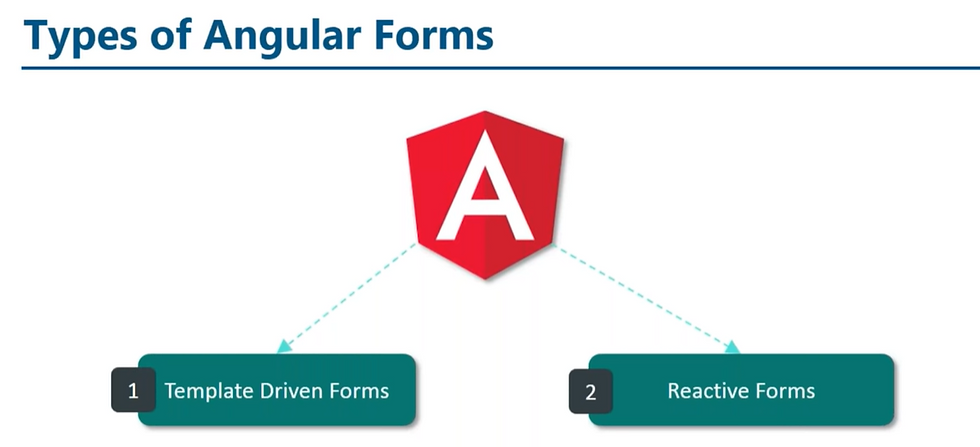


Angular + Spring Boot Rest API Integration

To Create Angular App
Execute below command on coomandpromt
ng new angular-frontend
accept default setting for routing
Angular project structure is created as below


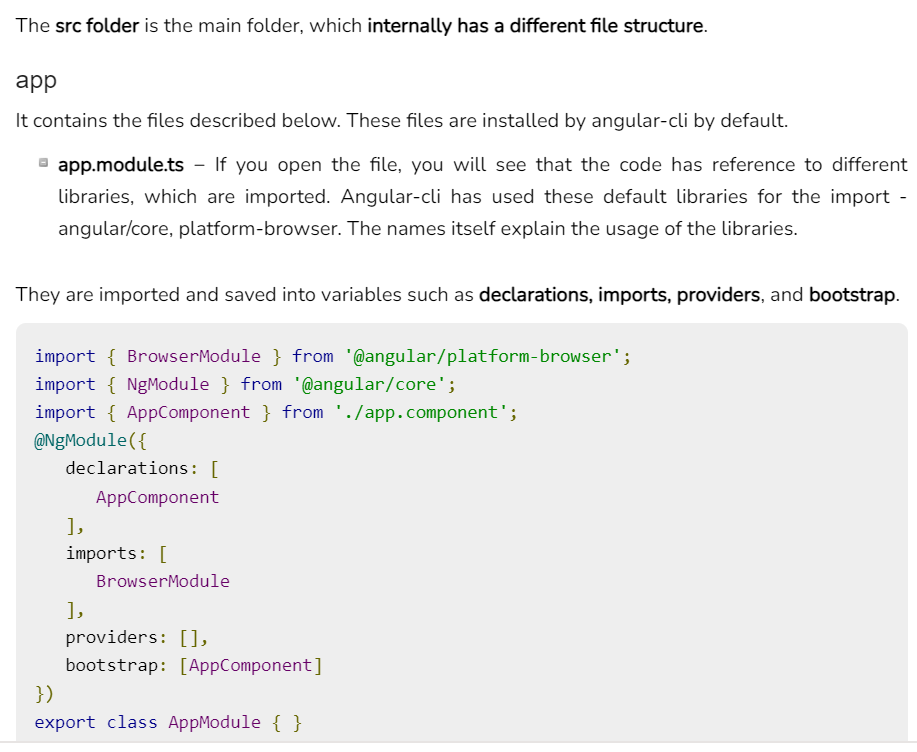

index.html - served by the application as part of SPA

app.module.ts -- is the root module of application.
AppComponent is the root component

asset folder conatain static files like images,css etc
app.routing.module.ts
confugiration for routing of the application.

Run Angular application
ng serve --- This will compile and run application local mode
hit in browser http://localhost:4200

when we hit application url in browser, it first load main.ts-> which bootstrap root module AppModule->bootstrap root component AppComponent

AppComponent has title property and associated view which get loaded into broser.
This is how Angular flow work.
We wiil develop below Angular component as a part of this tutorial.

With the help of App Routing, we will navigate to each component based on route defined.
Each componenet will use EmployeeServce as a part of DI features. This EmployeeService will make use of HTTPClient module to make a spring boot rest api call and return the result to respective component.
We will make use of Employee typescript class to hold the data for employee information.
Creating EmployeeList Component
Create typescipt employee class with below command
ng g class employee


create employee-list component
ng g c employee-list


This command create employee-list componenet , update app.module.ts file also.

employee-list-component.ts

edit app.component.html as below- make entry for app-eployee-list selector.


edit employee-list.component.html to iterate over employee array and display data as below


edit employee-list-component.ts
define employee array , initialize employee array with hardcoded data as below

refresh the browser

let us integrate rest api call to fetch employees , we will make use of Angular Service component
Creating Angular Service Component

issue below command to create angular service component
ng g s employee

This is our rest endpoint which we need to invoke

to make a call, we need to use HTTPClient module, please import that into app.module.ts as below


inject HTTPClient module into employeeservice component constructor and add getemployeelist method to give a call to rest api. This method return observable of employee array and this would be subscribed in employee list component.

Inject EmployeeService Component into EmployeeList component
Edit employeelist componenet and inject EmployeeService into constructor as below

Refresh the browser
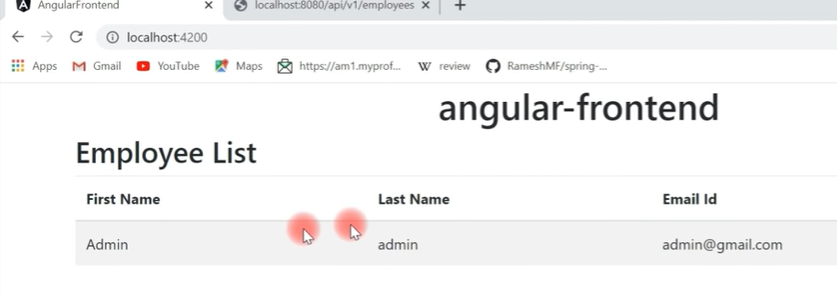
Thus we have completed successfully EmployeeList Component.
Edit approuting module to define routes for application.

update app.component.html with router-outlet as below

Refresh the browser

Thus we have successfully configured routing for EmployeeList component.
Now we will add navigation and use angular provided directive - Router link for navigation. goto app.componenet.html and add navigation below with bottstrap css class for nav bar
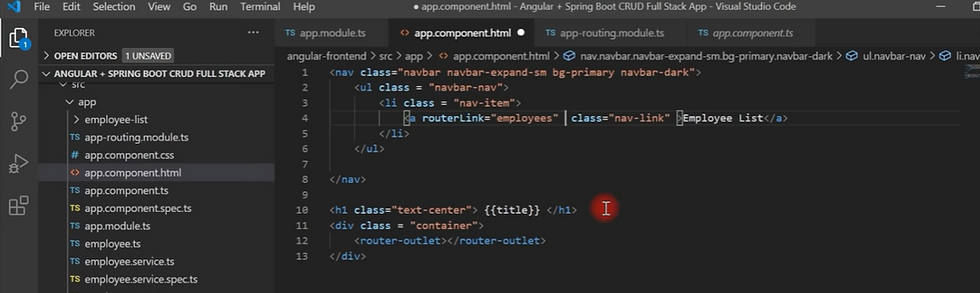
now we need to identify active route , so we will make use of angular directive routerlinkactive=active as below
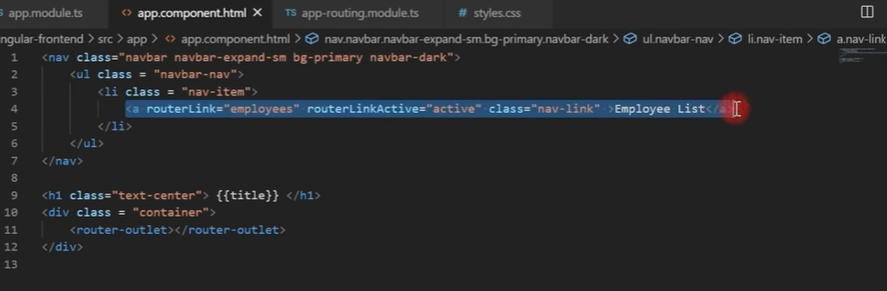
Refresh the browser

CreateEmployee Component
2 Way Data Binding -
when we update employee form, model is populated accordingly. When we update model , employee form is updated accordingly. To achieve this 2 way data binding we use ngModel directive.

issue below command to generate create-employee component
ng g c create-employee

This will add entry into app.module.ts declaration section

update app.component for updating route info for create-employee component

update app.component.html to update routinglink info for create-employee component

refresh the browser

click on Add Employee, will route it to create employee page

create employee form handling
edit employee.componenet.ts and define variable of type Employee as below

Goto Employee component template- create-employee-component.html to define employee form as below. we need to import FormsModule in app.module.ts


click on Add employee
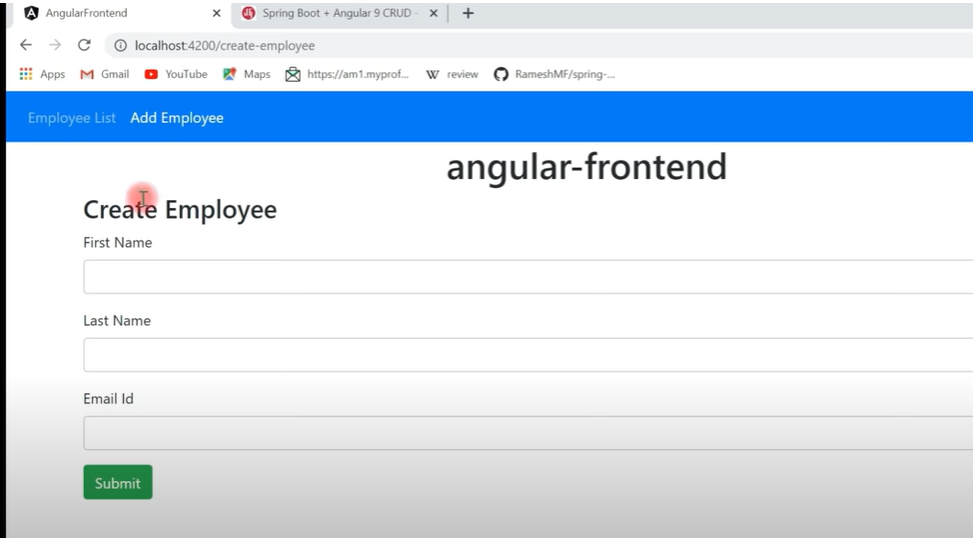
implement onsubmit methos and log the employee object

Refresh the browser and click on add employee , enter employee form data, click submit
it should log employee data to console
Integrate REST API call to add data to backend
Update employeeservice to add method for add employee functionality- this will invoke HTTPClient module to invoke rest api call

update CreateEmployeeComponent.ts to inject EmployeeService ,Router into constructor and invoke createEmployee method as below.


click on submit, it should add data to backend and navigate to employee listing component.

Create update-employee component
dissue below command
ng g c update-employee

update app.routing.module to update route for update-employee component as below

Update employee list component to add update button as below

add updateEmployee method as below
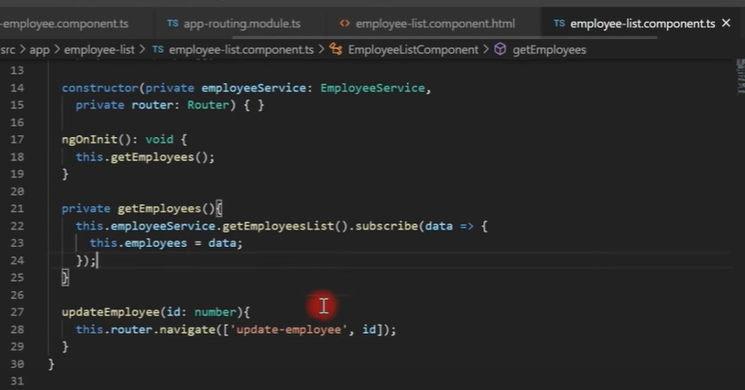

click on update button , will take you to updateemployee page

Design updateemployee form as below-


When you click on update button on employeelisting page, it should populate employee for that record. For this we need to make rest api call -getByEmployeeId. We need to add below mathod call in EmployeeService

Now we need to update update-employee component to inject EmployeeService,Router,ActivateRoute into constrcutor. Then invoke service in ngInit() to make a call to rest api for fetching a employee by id and then populate employee object and navigate to update employee page with populated data.
we use AtcivatedRoute to retrieve id parameter from router as below


When we click on update button, it should update data to backend with respective API call.
add upateEmployee methos in employeeservice as below

add onsubmit() and gotoemployeelist for navigation


modify data and click on update, it should update data to backend and navigate to employee listing


To Add Delete functionality, update employee listing page with delete butoon , add event handling on delete button to perform delete functionality
edit employee listing page to add delete button and event handing for it


add deleteEmployee method in EmployeeService

update employeelist component for delete event as below


click on delete , it should delete record and navigate to employeelisting page

Thus we have completed CRUD operation successfully with Angular+Rest API.


Comments