
DevOps - CI/CD Set up on GCP
- Anand Nerurkar
- Jul 2, 2022
- 1 min read

How To Set Up CI/CD Pipeline on GCP.
Assumption:
GCP Free tier account
ssh key is registered with google cloud.
1.Please login to your GCP account, goto IAM & permission, locate cloudbuild.service account from the list, click edit option, assign Kubernetes Engine Developer role to service account cloudbuild.gserviceaccount.com.

2. Goto Kubernete Engine, click on cluster->create standard cluster with default node pool as 2.

3. Goto cloud source repository ->add new repository->create new repository application-demo.
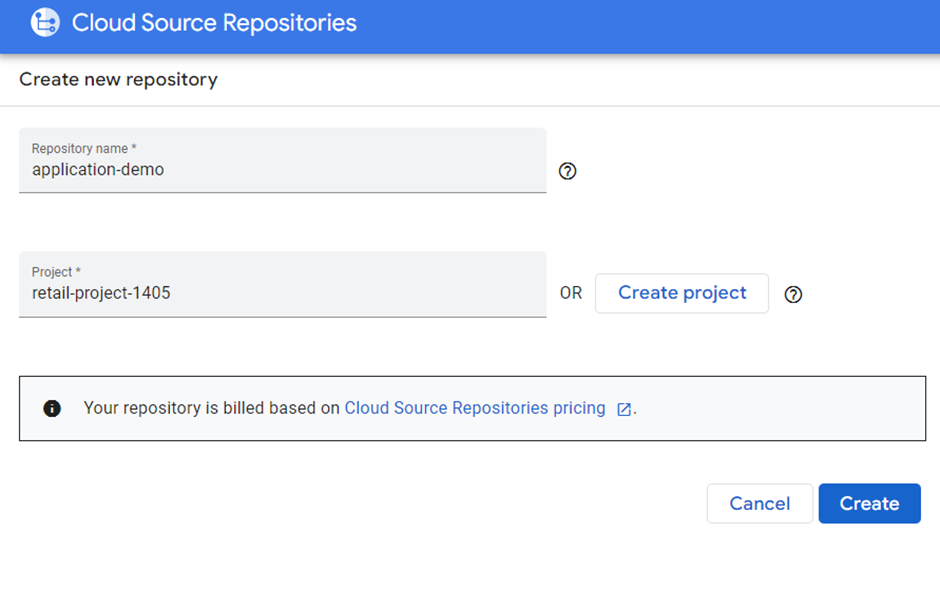


Open cloud shell, copy git clone command from above screenshot and create empty repository.
Goto your empty repository – cd application-demo
Git checkout -b develop
4. Upload source code with required files ( this source code is available at )
mv cloudbuild.yaml Dockerfile kubernetes.yaml.tpl kubernetes_first_app.py requirements.txt application-demo
git add Dockerfile cloudbuild.yaml kubernetes.yaml.tpl kubernetes_first_app.py requirements.txt
5. Add your email ids
git config --global user.email "you@example.com"
git config --global user.name "Your Name"
6. git commit -m "adding source code files"
git push origin develop

7. create source code repository for env (application-demo-env) as above and follow the same step as above.
Please see below screenshot.

8. Create build trigger on both the repository for your develop branch
goto cloud build-triggers->manage repository->select your repo each like application-demo & application-demo-env and add trigger.


9. Please make changes to code as below,

commit changes ,push it to branch -develop.
This should trigger build and deploy the application to gke cluster.


Comments