
Application Portfolio Rationalization using EA
- Anand Nerurkar
- Aug 13, 2023
- 2 min read

Updated: Sep 21, 2023
1. What is Application Portfolio Rationalization??
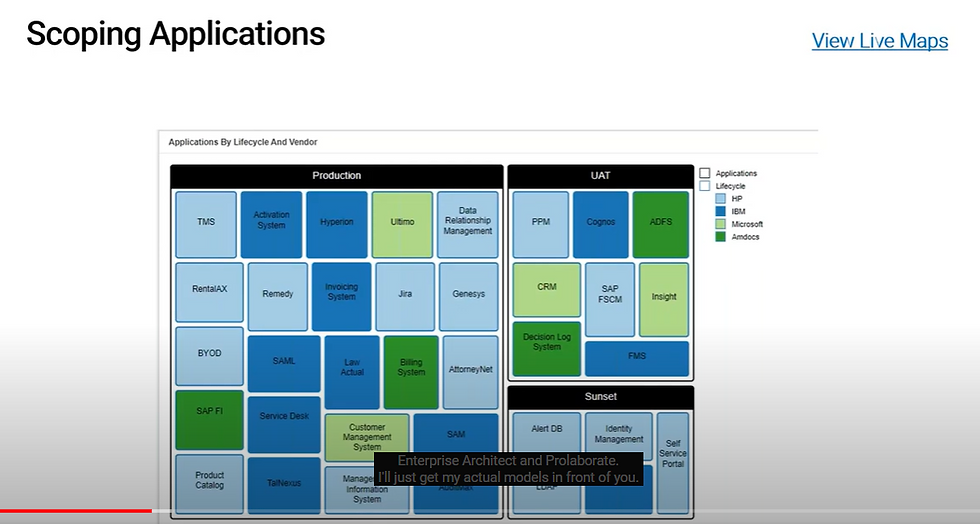
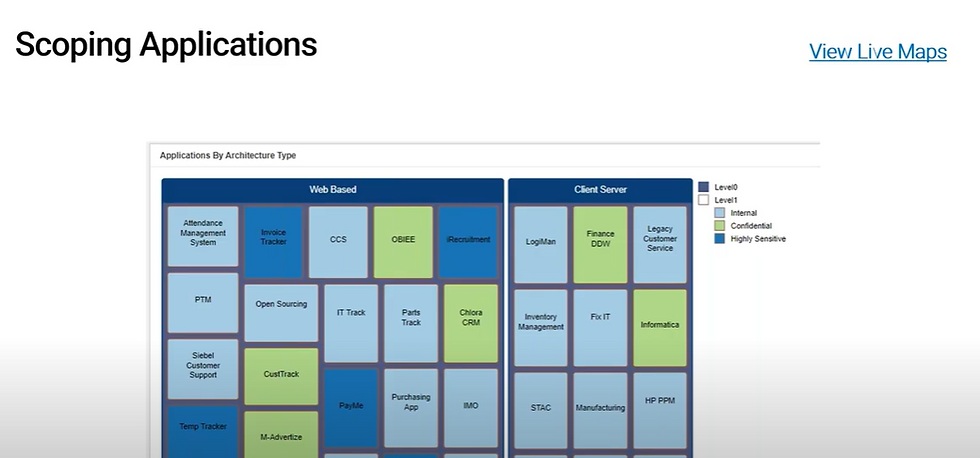
2. Application Scoping
3. Application Inventory
4. Create Rationalization Map, Target Portfolio & Roadmap
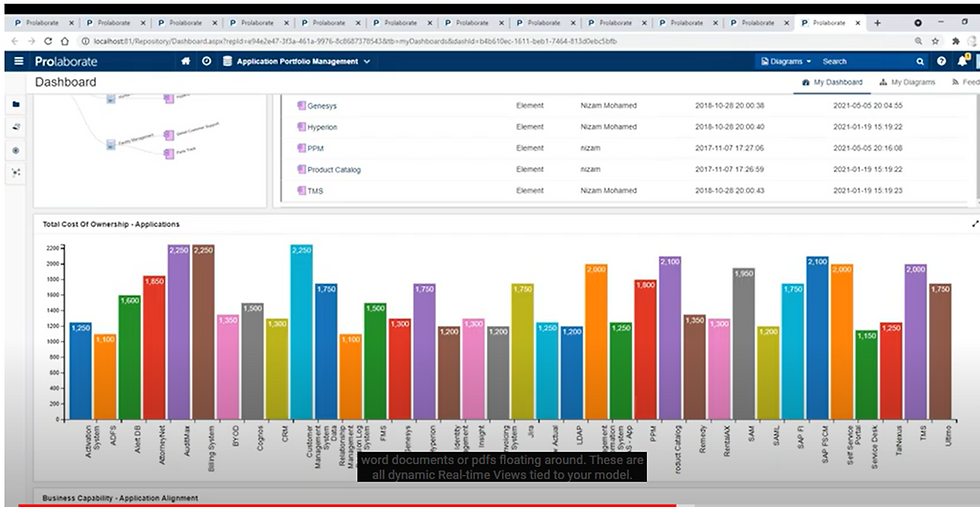
5. Drive Insights



Creating dashboards

create dashboard

Click add widget

Select EA Chart -landscape-designer-select application domain-application repository-application inventory-cots application


Save this wizard-dashboard -application test is added.

click on application test

Building Application Inventory
We could bring application inventory either from existing excel sheet or any other tool like service now and import it into EA repository

Work with business, it leader and understand what key attribute they are looking for as a part of insights. Above fields are just samples, we can have many more things.
Once this is done, then we need to select our application category like COTS Application and we can define metamodel for it.

2 ways to do it
Adhoc – we can simply ask architect to add those attribute manually
Systematic approach- goto your ea models,select application layer-select cots application, drag it to editor, then we can see all attributes and its value preppolated and we can select value based on need
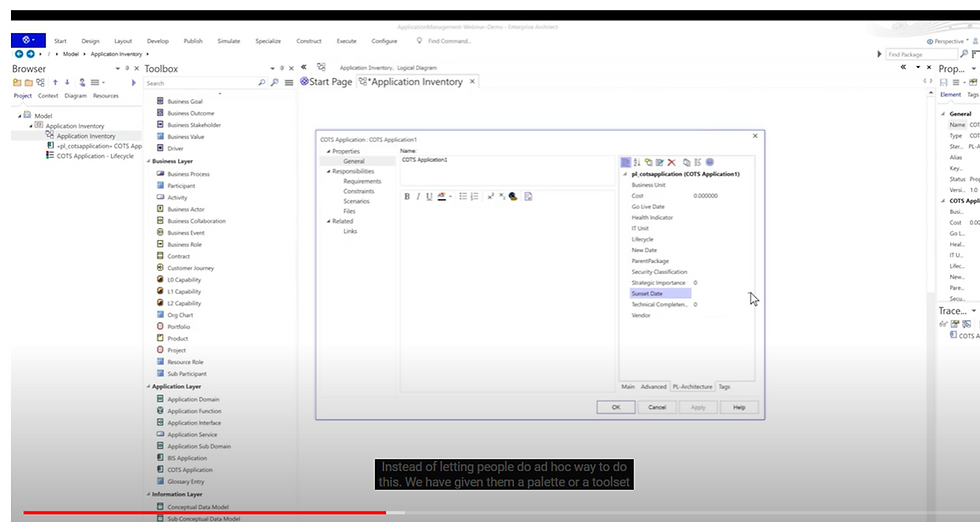

Let us say we drag L0,L1,L2 capability from business layer to toolbox and cots application from application layer. We try to connect cots application to L0,L1 capability , but it does not allow,it allow to connect to L2 capability b/c it is in aggregation with it. Thus it govern model validation and verification.
Once metamodel is in place and configure it in EA, we can leverage other tools like servicenow,import it from excelsheet , import data into our EA model.


Import from excel


once done we can see below output

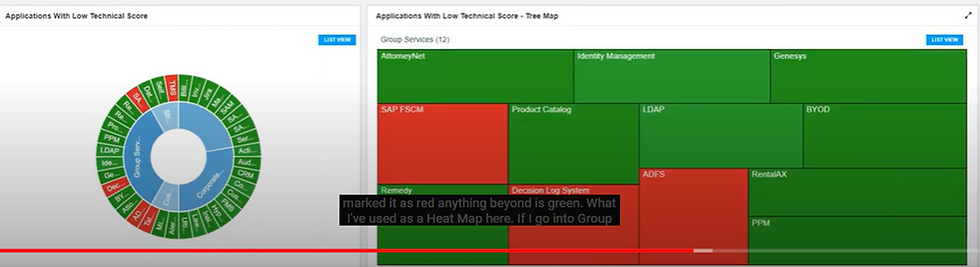
Apply diagram legend as below, create heatmap quickly


Each of application in application inventory has certain no of attribute as below

Bubble Chart
==
We can create view for application rationalization against strategic view or technical completeness with bubble charts as below

We can see application landscape w.t.r.t L0,L1 capability and application aligned with them and apply heat map to see which one are in prod,uat,sunset.

Once we mark target state , start date ,end date, we can create roadmap for it as below

For this ,we may capture attribute such as go live date,sunset,start date,end date aspart of metamodel definition for the application inventory.

Review/feedback/discussion/collaboration on the top of EA model-email notification, notification in prolaborate as below.


Relationship Matrices
==

Above view shows how capability like claims stack up against application customer management system.that means which application connected to which capability.
Thus we can create multiple views in dashboard like application to technology, business process to application etc




Comments